Import a script or outline
Import a script or outline
Import a script or outline
Start a story from a script or outline you already have.
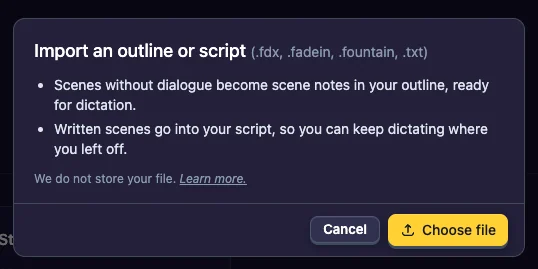
What you can import
- Final Draft (.fdx)
- Fade In (.fadein)
- Fountain (.fountain)
- Plain-text screenplays (.txt)
Import a file
- On the Dashboard, click Import File. Inside a story, click Import script in the sidebar.
- Click Choose file and pick your file.
- Check the Story name. The story starts with the Free Form structure; you can change it later.
- Click Import.
We do not store your file: it is read in your browser and only the story it makes is saved.
What you get
- Every scene becomes a scene in your outline, with its heading as the scene location.
- Scenes without dialogue become scene notes, ready for dictation. That makes it easy to import an outline and talk the scenes out.
- Written scenes go into your script, so you can keep dictating where you left off.
- The characters in the script come in too. They appear in your cast in the Characters column. See Characters from an imported script.
After importing
- Choose a structure: see Choose a structure.
- Drag the scenes into the sections where they belong.
Last updated:
Recent commits
