Record a scene
Record a scene
Record a scene
Start
Click TRANSCRIBE. The first time, your browser asks to use the microphone: choose Allow. While the recorder starts, the button reads WAIT.
The line under the keys tells you how long a scene can be, for example “Transcribe up to a 10 minute scene”.
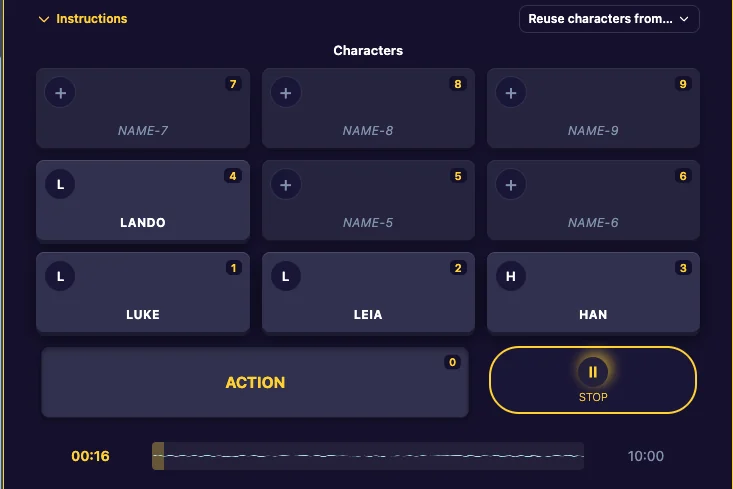
While you record
- The button reads STOP.
- The waveform shows your voice, and the timer shows how long the scene is so far.
- The key you tapped last lights up, so you can see who is speaking.
Stop
Click STOP, or press the spacebar. The app transcribes what you said. When it’s done, the lines appear in your script.
You can record more of the same scene later: click TRANSCRIBE again and the new lines are added after the old ones.
Premium and standard transcription
Every account includes unlimited standard transcription. Premium transcription is more accurate, punctuates better and is about 10 times faster. New accounts get 5 free minutes of premium (the Pro trial). See Plans and the Pro trial.
Something went wrong
- No sound, or the app can’t find your microphone: check that your browser is allowed to use it, then reload the page.
- “Maximum scene length has been reached”: start a new scene for the rest.
Last updated:
Recent commits
