This scene and Whole script
This scene and Whole script
This scene and Whole script
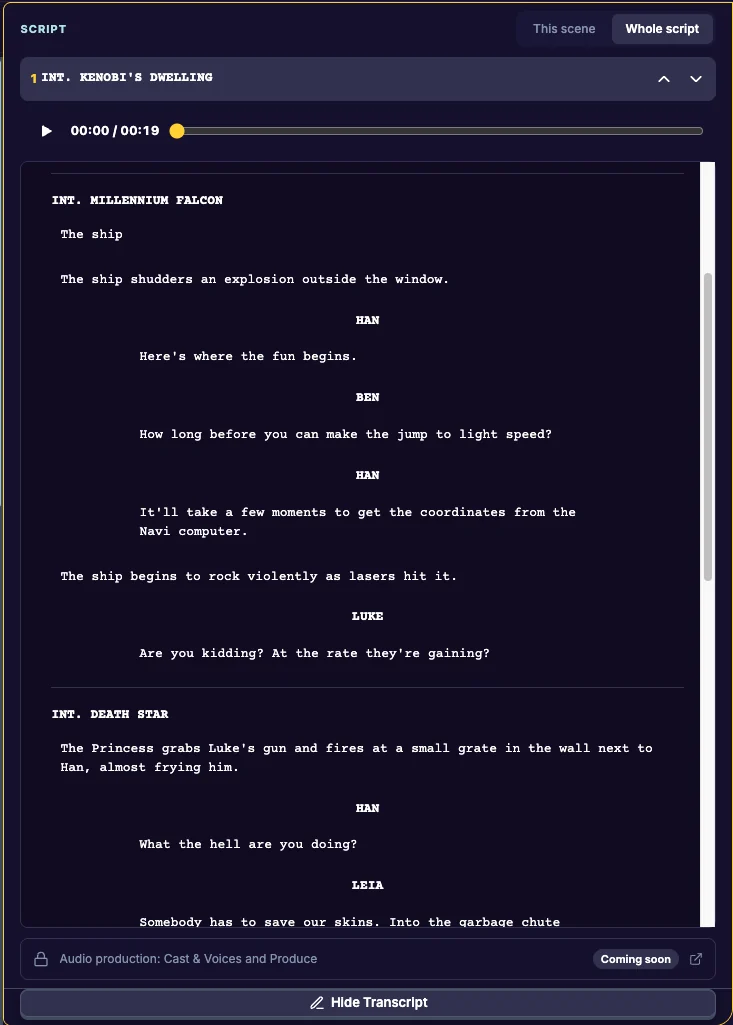
The Script column shows what you have dictated, formatted as a screenplay: scene headings, action, character names, dialogue, parentheticals and transitions.
Open it
Click Script in the top bar. On a computer it opens in the right-hand column, beside your outline; on a phone, swipe to it. Click Script again to close it.
Two ways to read
- Whole script: every scene in order, as one script. This is what opens when you click Script.
- This scene: just the scene you are working on. Use the arrows (Previous scene and Next scene) to move through your scenes. At the end of a scene, click Next scene › to keep reading.
From Dictate, Edit Transcript opens This scene for the scene you are recording.
A scene with no lines yet
It reads “Start recording and your transcript will appear here.” Click it to open the scene in Dictate and record.
Related
Last updated:
Recent commits
