Choose a structure
Choose a structure
A structure is the shape of your story: its acts and sections, and roughly how many pages each one gets. TalkingDraft has 18, from the familiar to the unusual.
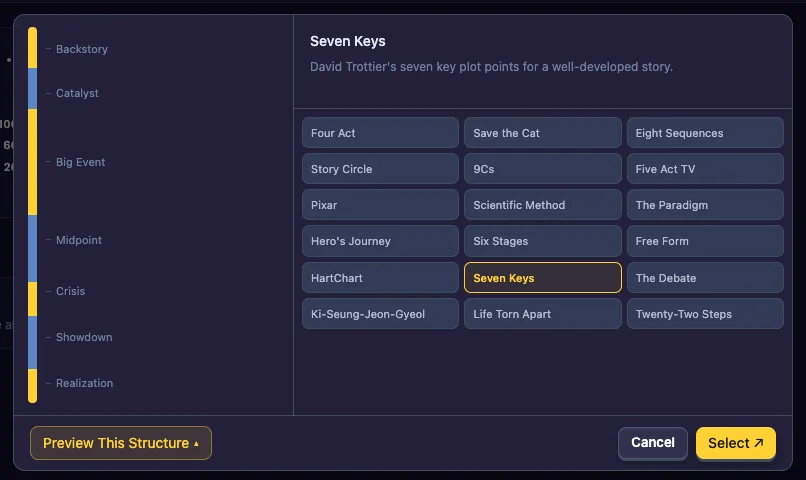
The structures
Four Act · Save the Cat · Eight Sequences · Story Circle · 9Cs · Five Act TV · Pixar · Scientific Method · The Paradigm · Hero’s Journey · Six Stages · Free Form · HartChart · Seven Keys · The Debate · Ki-Seung-Jeon-Gyeol · Life Torn Apart · Twenty-Two Steps
Choose Free Form to make up your own sections. See Free Form sections.
Pick one
- Click Story Structure when you create a story, or the structure’s name at the top of an open story.
- Click a structure’s card to read its description.
- Click Preview This Structure to see its sections laid out, with each one’s share of the story. Point at a section to read what happens there.
- Click Select ↗.
Switch structures later
You can change the structure of a story you have already started. Click the structure’s name at the top of the story, pick another one and click Select ↗.
If the story already has section descriptions or scenes, the app warns you first: switching will alter your outline. Your scenes are moved to the sections of the new structure that best match where they were; you can then drag them where you want them. Consider making a copy of the story first: see Copy, rename or delete a story.
