Reuse characters from another scene
Reuse characters from another scene
Reuse characters from another scene
When a group of characters comes back, you don’t need to name the keys again. Copy them from a scene they were already in.
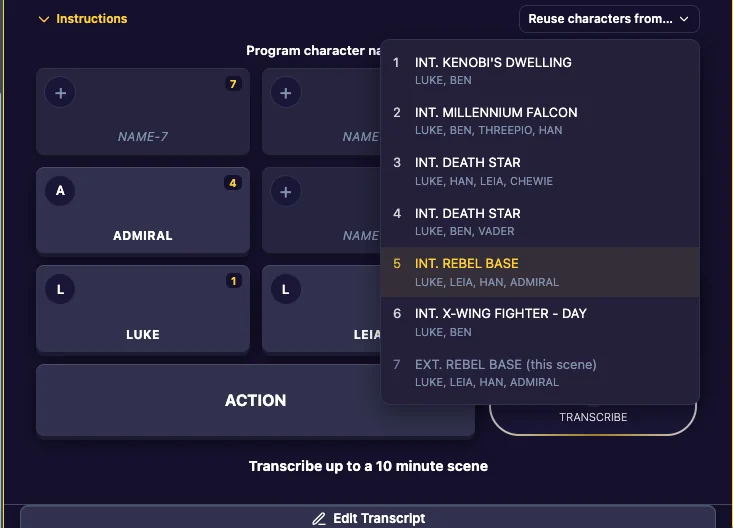
- In Dictate, click Reuse characters from….
- The list shows every scene in your story, numbered, with the characters in each one. Scenes with no characters show only their location.
- Click the scene to copy from. The app says “Characters copied from” that scene.
The scene you are in is marked “(this scene)” and can’t be picked.
When you add a new scene at a place you have used before, the keys fill in with the cast of the last scene there automatically. See Scenes.
Last updated:
Recent commits
