Track your progress
Track your progress
Track your progress
Each scene card has a small progress tick. Use it to mark where each scene stands, so you can see what is left to do.
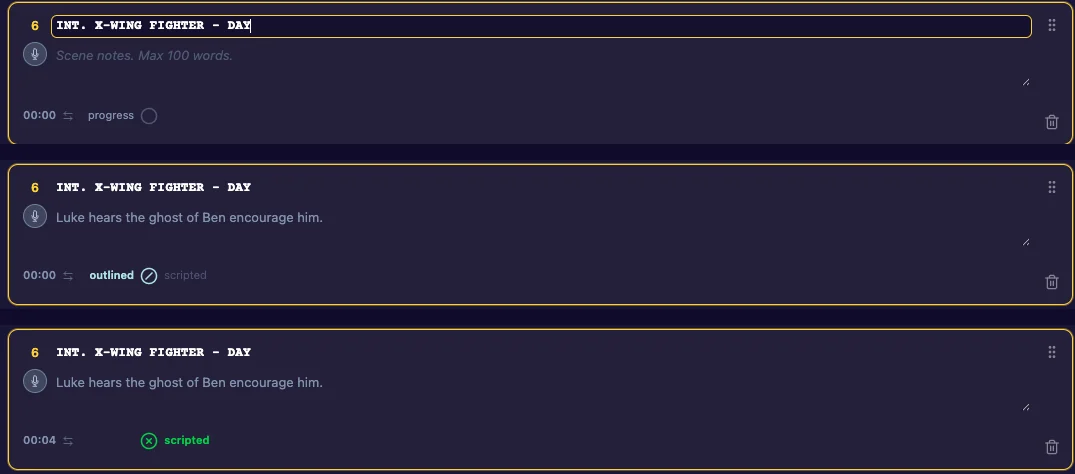
The three states
Click the tick to move through:
- Empty: not started.
- Outlined: you know what happens in this scene.
- Scripted: the scene is written.
Click again to clear it.
Where it adds up
On the Dashboard, each story’s card has three progress bars:
- Beatsheet: the sections that have a description.
- Outline: the scenes marked outlined or scripted.
- Script: the scenes marked scripted.
See The Dashboard.
Last updated:
Recent commits
