The Sample Story
The Sample Story
The Sample Story
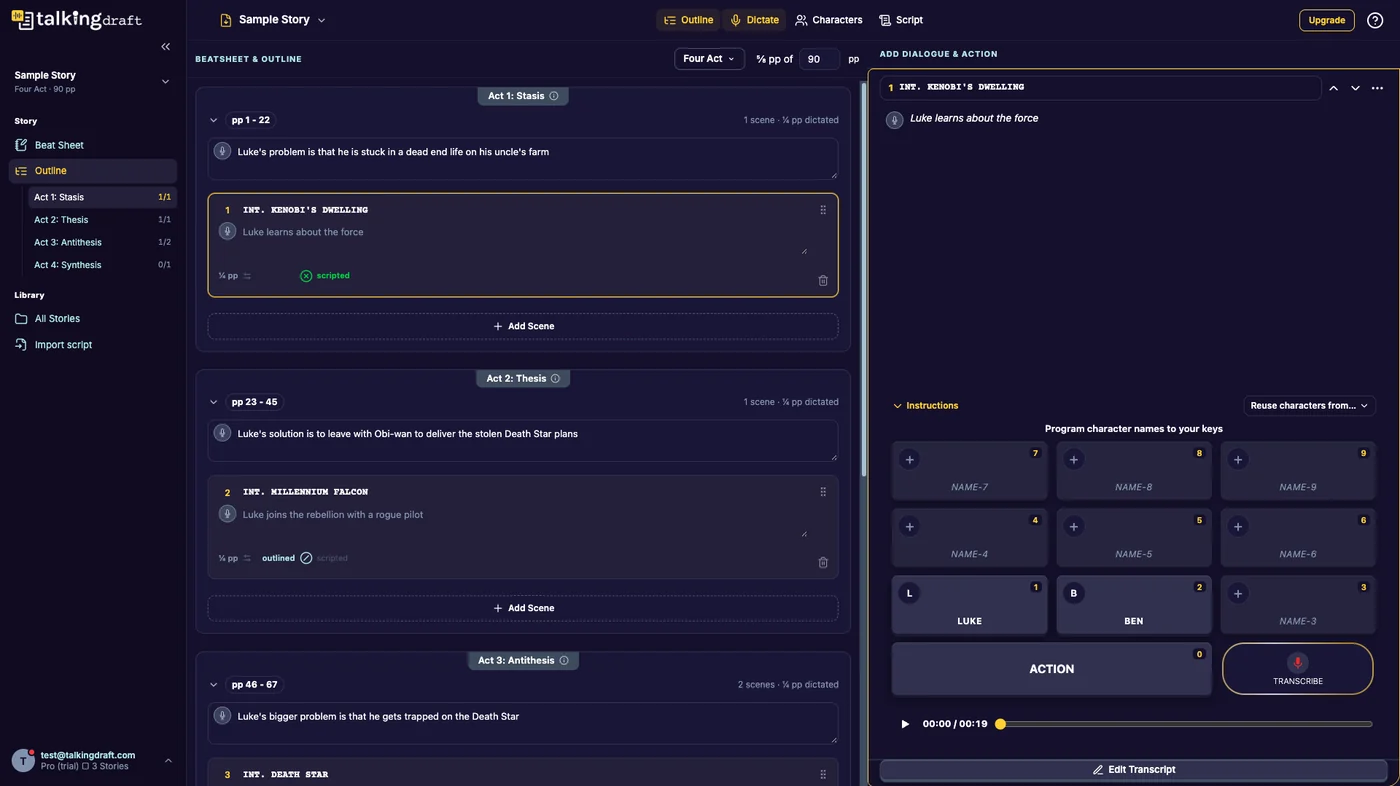
Every account comes with a Sample Story, marked SAMPLE on the Dashboard. It is a short story with sections, scenes, recorded dialogue and a typed cast, so you can see what a finished Talking Draft looks like before you start your own.
What to try
- Outline: read the section descriptions and scene notes. One scene is marked scripted and two are outlined.
- Dictate: open a scene and look at the named character keys.
- Script: read the scenes in screenplay format and play back the recording.
- Characters: every character has a type, so Group Dynamics is ready to read. Open the Hero Team under Scene Configurations to see its Group Analysis.
Every tool is open
The Pro tools, Group Dynamics, Scene Configurations, the quizzes and the Full Profile, are always open on the Sample Story, whatever your plan. It is the place to try them.
Next
Last updated:
Recent commits
