The beat sheet calculator
The beat sheet calculator
Every structure in TalkingDraft is also a calculator. Set your story’s Page Target, and each section of the structure shows which pages it should cover. As you dictate, each section adds up how much you have actually written, so you can see at a glance whether an act is running long or short.
Your Page Target
The Page Target sits at the top of your story, beside the structure name: for example “Save the Cat ▾ 12 of 110 pp”. The first number is how many pages you have dictated; the second is your target. Type a new target and every section’s page range updates.
Each section’s page range
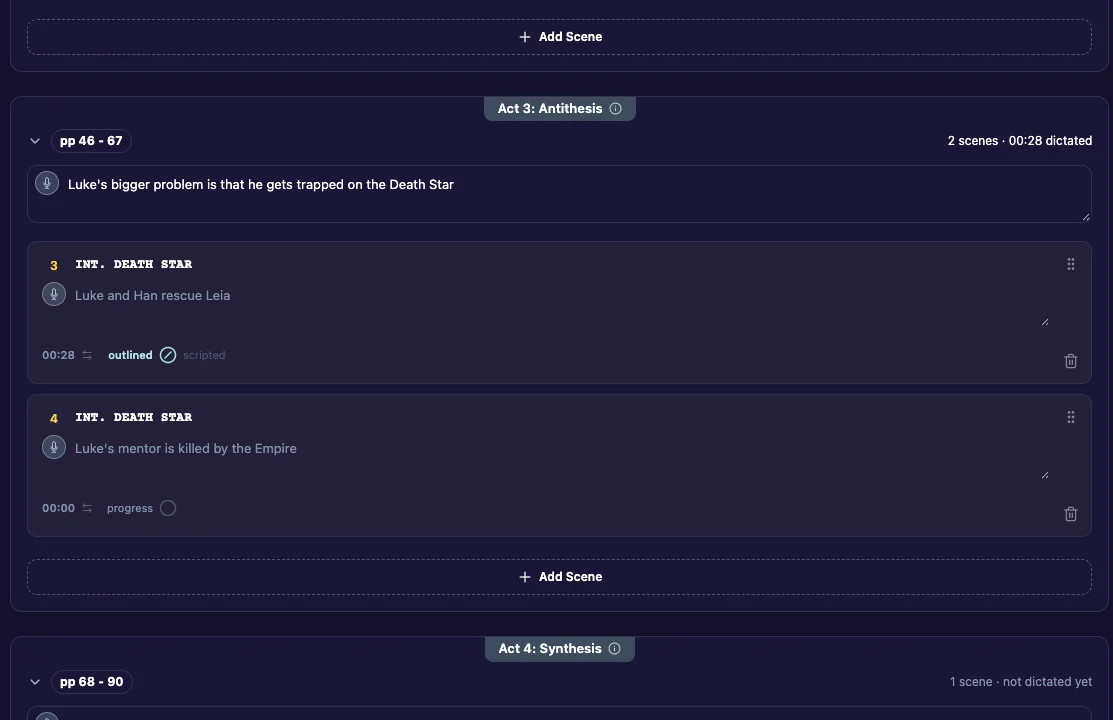
Next to each section name is its page range, for example “pp 25–30”. That is where this section should fall in a script of your Page Target, according to the structure you chose. Click the section’s (?) to read what should happen there.
To see the page ranges of a structure before you choose it, open Choose Structure and click Preview This Structure. See Choose a structure.
What each section has so far
Under each section name, a line counts its scenes and how much of it you have dictated, for example “3 scenes · ≈ 3½ pp dictated”, or “1 scene · not dictated yet”.
Pages or minutes
Click any of these totals to switch between pages and minutes. TalkingDraft counts about 130 seconds of dictation as one script page, rounded up to the nearest eighth of a page. A “≈” means part of the total is estimated from typed or imported text rather than recorded audio.
